Email list building: 9 consent-based ways to grow your email list
How to grow an email list with consent: popup timing and offers, newsletter signup forms, Shopify checkout opt-in, content upgrades and referrals.
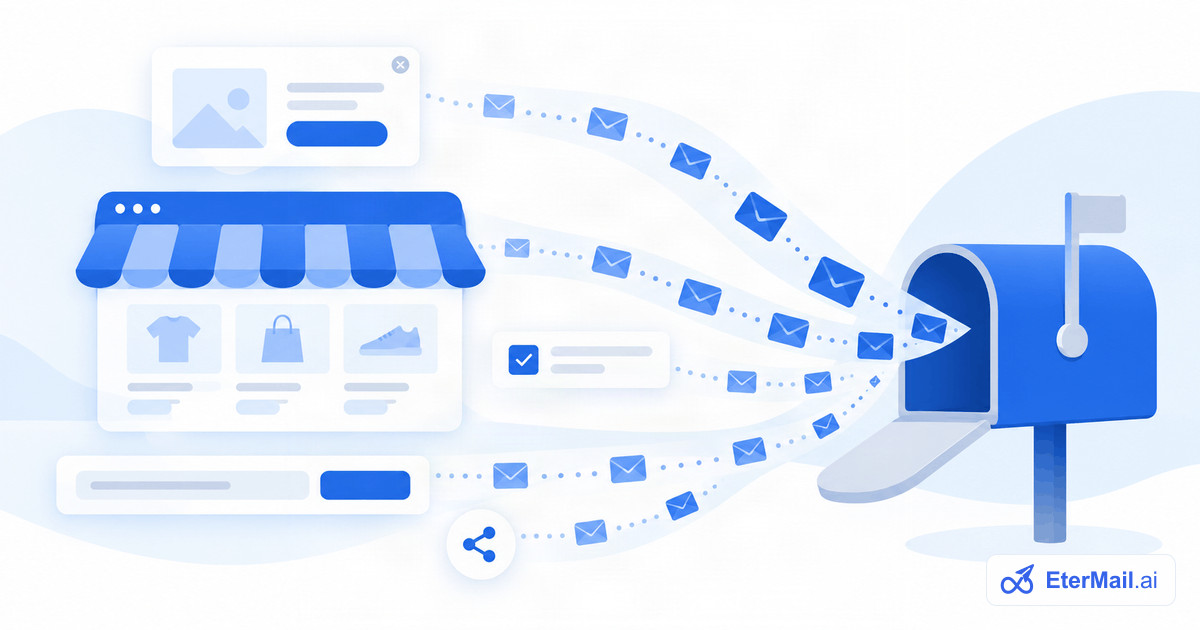
Your email list is the one marketing channel you own. No algorithm decides who sees your message, and a subscriber who joined last year can still buy from you next week. But a list is only valuable if the people on it chose to be there.
This guide covers practical, consent-based ways to build an email list: popups with the right timing and offer, newsletter signup forms, the checkout opt-in in Shopify, content upgrades and referrals. It also explains why buying a list is never a shortcut.
Start with consent (and why you should never buy a list)
Every method in this guide asks people to join, clearly, with nothing pre-ticked. That's not just good manners. The large mailbox providers and email platforms all say it plainly, as of October 2026:
- Google's sender guidelines: "Don't purchase email addresses from other companies" and "Avoid opt-in forms that are checked by default."
- Yahoo's sender best practices: "Don't purchase mailing lists or subscribe users by having an opt-in checkbox automatically checked on your website."
- Mailchimp's acceptable use policy prohibits sending to "purchased, rented, third-party, co-reg, publicly available data, or partner lists of any kind", and most email platforms have a similar rule.
Bought lists fail in practice too:
- The people never asked to hear from you, so they mark you as spam. Google asks senders to keep their spam rate below 0.1% and never reach 0.3%.
- The data is old, so a large share bounces.
- They often contain spam traps, addresses that exist only to catch senders who mail people who didn't sign up.
- It can break the law in places that require consent, such as the EU and UK.
One bad send to a bought list can damage the reputation of your domain for months, and with it the email your real customers signed up for. See our email list cleaning guide for what that clean-up looks like.
1. A well-timed email popup
An email popup is the most common way for an online store to collect sign-ups, because it asks at the moment someone is already looking at your products. Most popups that annoy people do so because of timing, not because they exist.
When to show it
- Not on arrival. A popup that covers the page before the visitor has seen anything asks for commitment before you've earned it.
- After a signal of interest: a time delay (a common starting point is somewhere around 10 to 30 seconds), scrolling past half the page, or viewing a second page.
- On exit intent on desktop, when the cursor moves toward closing the tab.
- Not to existing subscribers or customers who are logged in. They can't sign up twice, and they're the visitors who come back most often.
- Not again right after someone closed it. Wait days, not minutes.
On mobile, keep it small and easy to close. Google Search Central's page experience guidance asks site owners to avoid intrusive interstitials, which can make content less accessible, so a bottom banner or a small slide-in is often the better choice on phones.
What to offer
Give people a reason to join that fits your brand:
| Offer | Works well for |
|---|---|
| A first-order discount (e.g. 10% off) | Stores with healthy margins and frequent first purchases |
| Free shipping on the first order | Stores where shipping cost puts people off |
| Early access to drops or sales | Limited-edition and fashion brands |
| A guide, size chart or recipe pack | Higher-consideration products |
| Entry into a giveaway | Short campaigns (state the rules and the prize clearly) |
A discount isn't the only answer. If your brand rarely discounts, early access or useful content can bring in subscribers who value the product rather than the coupon.
Example popup copy (written for this guide):
Say what people will get and how often. That one line about frequency sets expectations and cuts complaints later.
Shopify email popups
On Shopify, you have two routes. Shopify's own Forms app lets you build popup or inline sign-up forms that, in the words of its app listing, help you "grow your contact list". Many email marketing platforms also offer their own popup builders with more control over targeting. Whichever you use, make sure sign-ups land in Shopify or your email platform with their consent status, so the same person isn't treated as subscribed in one tool and unsubscribed in another.
2. Newsletter signup forms that people notice
A popup asks once. A newsletter signup form is there every time someone scrolls. Place it where intent is highest:
- The footer of every page. Visitors expect it there.
- Inline on blog posts and guides, right after the most useful section.
- On the "About" and contact pages, where people are deciding whether they trust you.
- A dedicated signup page you can link from social profiles, your email signature and printed inserts.
Make the form itself easy:
- Ask only for the email address. A first name is fine if you'll use it; anything else can come later.
- Replace "Subscribe" with what they get: "Get the weekly recipe", "Send me new arrivals".
- Add one consent line under the button: "By subscribing you agree to receive marketing email from [Brand]. Unsubscribe anytime."
- Show a clear success message that tells people what happens next, especially if they need to confirm by email.
3. The checkout opt-in in Shopify
Your checkout is where people are most engaged with your brand. Shopify lets you add an email marketing checkbox there. According to Shopify's help centre (October 2026):
- In Shopify admin, go to Settings > Checkout.
- In the Marketing opt-in section, select Email.
- Choose Regions recommended by Shopify, which preselects or unticks the box based on the law in the customer's country, or Regions you choose, where no regions are selected by default, so the box stays unticked unless you pick some.
- Click Save.
A few points:
- Leave the box unticked unless you're sure pre-ticking is allowed for that region. Google and Yahoo both advise against opt-in boxes that are checked by default.
- Edit the label so it says what people get, for example "Email me new arrivals and offers". If you plan to send abandoned-checkout reminders, Shopify's help centre says you need to change the consent text to cover them.
- Remember the difference between buying and subscribing. Order confirmations and shipping updates are transactional and go to every buyer. Marketing email goes only to people who ticked the box. See transactional vs marketing email.
Shopify also has a Marketing double opt-in setting (Settings > Notifications > Customer notifications), which sends a confirmation email when someone subscribes in your online store.
4. Content upgrades
A content upgrade is a bonus that goes with a specific page: a printable checklist on a how-to post, a size guide on a product category, a template pack on a guide. Because it matches what the reader is already looking at, it's a far more relevant ask than a generic "join our newsletter".
Good content upgrades are:
- specific to the page ("The 12-point packing checklist for this trip");
- instant, delivered by email right after sign-up (which also confirms the address);
- honest about the subscription. Make it clear they're joining your list, not just downloading a file.
5. Referral: let subscribers invite friends
Your best subscribers know people like them. A simple referral programme gives each subscriber a personal link to share. When a friend signs up through it, the subscriber earns a reward, such as store credit, a discount or a freebie.
One rule matters most: the friend must sign up themselves. Don't ask subscribers to type in friends' email addresses and then add those friends to your list. That's adding people without their consent, with all the problems of a bought list.
6. Account creation, post-purchase and loyalty
- Account sign-up: offer a separate, unticked email consent checkbox. Creating an account is not the same as agreeing to marketing email.
- Post-purchase: customers who didn't tick the box at checkout may be happy to join after a good delivery. A "Want to hear about new arrivals?" link on the order status page or in a post-purchase survey can work.
- Loyalty programmes: if members get points or perks by email, invite them to opt in as part of joining.
7. Offline and events
Pop-up shops, trade shows and markets are a good source of engaged subscribers. Use a tablet with your normal signup form rather than a paper sheet, so the email is typed by the person (fewer typos) and consent is recorded the same way as online. If you do collect on paper, write down when and where, and send a confirmation email before adding people to campaigns.
8. Social media and partners
- Link to your signup page from your social bios and pinned posts.
- Run a lead-generation giveaway with a partner brand only if each brand's opt-in is a separate, clear checkbox. Joining one list must not silently add people to the other's.
- Webinars and live sessions: registrants can opt in to your newsletter on the registration form, with a separate checkbox.
9. Welcome new subscribers straight away
Growth doesn't end at the sign-up. Send a welcome email immediately: deliver what you promised (the discount code or download), say how often you'll write, and point to a few best sellers or best posts. A strong welcome turns a new address into an engaged subscriber, and engaged subscribers protect your deliverability. See our welcome email examples for ideas.
Keep a record of consent
Whatever methods you use, record how and when each person joined: the form or checkbox, the date and time, and the wording they agreed to. If a subscriber or a mailbox provider ever asks, you can show it. It also makes it easy to remove a whole source later if one turns out to be poor quality.
This is general information, not legal advice. Consent rules vary by country; the CAN-SPAM Act covers the US, and the EU and UK have stricter consent requirements.
Growing your list with EterMail
In EterMail (our product), subscribers can come from several places. Shopify customers who accepted marketing sync from your store, with their consent, through a read-only connection, so people who subscribe in Shopify, for example through the checkout box, come across automatically. Hosted signup forms work as a hosted page, an iframe embed or your own form, with double opt-in recommended and a consent record for each subscriber. Sign-ups from an app or SaaS product can come in through the API, and other lists can be imported by CSV with a stated consent basis. For the welcome email, AI drafts it in your brand voice, and AI can also make the pictures: on-brand banners, or scenes built from your real product photo, with an optional short greeting. You approve every campaign before it sends, and the welcome flow before it starts running. See Shopify email marketing for how it works with a store.
FAQ
What is the fastest way to grow an email list?
For an online store, a well-timed popup with a clear offer plus an email opt-in at checkout usually adds the most subscribers. For a content site or SaaS product, inline forms with content upgrades tend to do best. Whatever you choose, keep it consent-based; fast growth from bought or scraped lists damages your deliverability.
Is it legal to buy an email list?
Buying a list isn't illegal everywhere, but mailing people who never opted in breaks most email platforms' policies, goes against Google's and Yahoo's sender guidelines, and is unlawful in places that require consent, such as the EU and UK. It also brings bounces, spam complaints and spam traps. This is general information, not legal advice.
When should an email popup appear?
Not as soon as the page loads. Show it after a sign of interest, such as some time on the page, scrolling halfway, or viewing a second page, or on exit intent on desktop. Don't show it to existing subscribers, and keep it small and easy to close on mobile.
How do I add an email popup to Shopify?
Shopify's own Forms app lets you build a popup or inline sign-up form for your store. Many email platforms also have their own popup builders. Either way, check that sign-ups reach Shopify or your email tool with their consent status.
What should a newsletter signup form include?
An email field, a button that says what people get, one line on what and how often you'll send, and a short consent note such as "Unsubscribe anytime". Ask for a first name only if you'll use it. Show a success message that explains the next step, especially when people need to confirm by email.
Should I use double opt-in when growing my list?
Double opt-in keeps typos, bots and fake addresses off your list and gives strong proof of consent, at the cost of slightly slower growth. Most senders benefit from it. See our email list cleaning guide for the pros and cons in detail.