Ecommerce email flows: the 8 automations every store should run, with timing and copy outlines
The core ecommerce email flows: welcome, browse and cart abandonment, post-purchase, review, win-back, birthday and back in stock, with timing and copy.
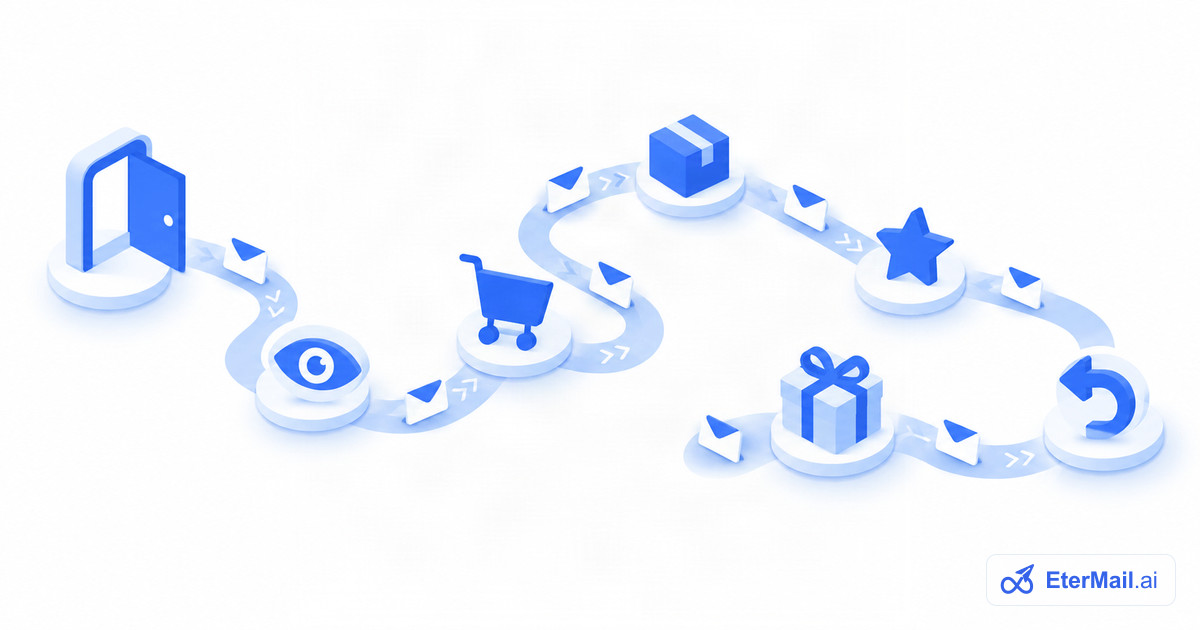
A campaign is something you send. A flow is something that sends itself whenever a shopper does something, or stops doing something. You set it up once, approve it, and it keeps working while you run the store.
Most stores get the bulk of their automated email revenue from a handful of flows. This guide covers the eight that matter most for ecommerce: what triggers each one, when to send, how many emails to use, an example copy outline you can adapt, and the numbers to watch. Start with the first three, then add the rest as you have time.
The 8 flows at a glance
| Flow | Trigger | Emails | First email |
|---|---|---|---|
| Welcome | New subscriber | 2–4 | Right away |
| Browse abandonment | Viewed a product, didn't buy | 1–2 | A few hours later |
| Abandoned checkout | Started checkout, didn't pay | 2–3 | About 1 hour later |
| Post-purchase / cross-sell | Order placed | 2–3 | After delivery |
| Review request | Order delivered | 1–2 | A week or two after delivery |
| Win-back | No order in X days | 2–3 | At the inactivity mark |
| Birthday | Birthday date | 1–2 | A few days before |
| Back in stock | Shopper asked to be told | 1 | When stock returns |
Every flow below needs two things to behave well: an exit condition (the goal event that stops the flow, usually an order) and a re-entry rule (how soon the same person can go through it again). Without them, people who already bought keep getting reminders, which is the fastest way to earn unsubscribes.
1. Welcome series
Trigger: someone subscribes, through a signup form, a popup or the checkout opt-in. Timing: first email immediately; the rest spread over the next 3–7 days. Emails: 2–4.
The welcome email is the one new subscribers are most likely to open, because they asked for it a moment ago. Use it to deliver whatever you promised at signup, then tell them who you are.
Example outline (written for this guide):
- Email 1, right away. Subject: "Here's your 10% code, as promised". Deliver the code, show three best sellers, one button to shop.
- Email 2, day 3. Subject: "Why we started making [product]". Your brand story in a few short paragraphs, plus what makes the product different.
- Email 3, day 6. Subject: "Your code expires Sunday". Social proof you actually have (real reviews from your store), a reminder of the offer, and a clear deadline.
Exit: first order. Metrics: opens and clicks on email 1, conversion rate to first order within the flow, unsubscribes per email.
For more examples, see our welcome email examples.
2. Browse abandonment
Trigger: a known contact views a product page and doesn't add to cart or check out. Timing: a few hours after the visit, while they still remember the product. Emails: 1, sometimes 2.
Browse abandonment only works for people you can identify: subscribers who clicked through from an email, or customers who are signed in. Keep it light. They looked; they didn't commit. A pushy discount here trains people to browse and wait.
Example outline:
- Subject: "Still thinking about the Linen Overshirt?"
- Body: the product image, name and price; one line on what makes it good; two or three similar products; a button back to the product page.
- Optional email 2, a day later: answer the most common objection for that category (sizing, shipping time, returns).
Exit: added to cart, started checkout or ordered. Metrics: click rate, orders attributed to the flow, and whether the flow overlaps with abandoned checkout (it shouldn't).
3. Abandoned checkout
Trigger: a shopper starts checkout, enters their email, and leaves without paying. Timing: about 1 hour after, then about 24 hours after. Emails: 2, sometimes 3.
This is usually the highest-earning flow, because the intent is clear. The shopper picked products and started to pay. Your job is to make it easy to finish: link straight back to their own checkout, show what they left, and remove friction.
Example outline:
- Email 1, 1 hour. Subject: "You left something in your cart". Product images and prices, one button back to their checkout, a line about shipping or returns.
- Email 2, 24 hours. Subject: "Your cart is saved, for now". Address the likely hesitation. Decide whether this email carries an offer; many stores keep the first reminder offer-free.
- Optional email 3, 48–72 hours. A short last call, with or without a small incentive.
Exit: order placed. Metrics: recovery rate (checkouts recovered ÷ checkouts that entered the flow), revenue per recipient, unsubscribes on email 2 and 3.
The full playbook is in our guide to Shopify abandoned checkout emails.
4. Post-purchase and cross-sell
Trigger: an order is placed. Timing: first email after the product should have arrived; the cross-sell about a week or more after the order, depending on the product. Emails: 2–3.
The post-purchase email is the most underused flow in ecommerce. The customer has just trusted you with money; this is your chance to make the first order feel good and set up the second. Note that the order confirmation and shipping notice are transactional emails sent by your store platform. The post-purchase flow is marketing, and it should only go to people who opted in.
Example outline:
- Email 1, around delivery. Subject: "How to get the most out of your new [product]". Care instructions, a how-to tip, a link to your help page. No selling.
- Email 2, about a week after the order. Subject: "Pairs well with what you bought". Two to four products that go with the order (same collection, accessories, refills).
- Optional email 3. For consumables, a replenishment reminder timed to when they'll run out.
Exit: a second order (for the cross-sell step). Metrics: second-order rate, time to second order, revenue per recipient.
5. Review request
Trigger: order delivered (or order date plus typical delivery time, if you don't track delivery). Timing: long enough for the customer to use the product. A week for apparel, longer for skincare or anything that takes time to show results. Emails: 1–2.
Ask one question, make it one click to start, and say what you'll do with the answer.
Example outline:
- Subject: "Quick question about your order"
- Body: a product image, "How would you rate it?", one-click star links into your review form, and a line that says reviews help other shoppers choose.
- Optional reminder, 5–7 days later, only to people who didn't respond.
Avoid offering a reward only for positive reviews. If you offer anything, offer it for an honest review, and check your review platform's rules first.
Metrics: review submission rate, average rating, and replies (unhappy customers often hit reply instead, so make sure someone reads them).
6. Win-back
Trigger: a customer hasn't ordered in a set number of days. Timing: set the threshold from your own repurchase cycle. 90 days is a common default for most stores; coffee or pet food might use 45, furniture a year or more. Emails: 2–3.
Example outline:
- Email 1, at the threshold. Subject: "It's been a while. Here's what's new". New arrivals and best sellers since their last order.
- Email 2, a week later. Subject: "A little something to come back to". An offer, if you use one, with a deadline.
- Optional email 3. "Should we keep emailing you?" with a clear way to stay subscribed or leave.
Exit: order placed. Metrics: reactivation rate (customers who order again ÷ entered), revenue per recipient, and unsubscribes. People who never respond are candidates for list cleaning, which protects your deliverability.
7. Birthday email
Trigger: the contact's birthday (or signup anniversary, if you don't collect birthdays). Timing: 3–7 days before the date, so a gift code can be used in time; optionally a reminder on the day. Emails: 1–2.
You need the data first. Add an optional "birthday (month and day)" field to your signup form or account page, and say why you're asking ("we'll send you something on your birthday"). Don't ask for the year unless you need it.
Example outline:
- Subject: "An early birthday gift from us"
- Body: a short personal note, a code valid for the birthday week or month, and a few gift-worthy products.
- Day-of reminder (optional): "Happy birthday, [first name]. Your gift is waiting", only to people who haven't used the code.
Metrics: redemption rate, revenue per recipient, and how many contacts actually have a birthday on file (if few do, push the form field before optimizing the email).
8. Back in stock
Trigger: a shopper asks to be told when a sold-out product or size returns, and the inventory comes back. Timing: as soon as stock is available. Emails: usually 1.
Back-in-stock emails work because the shopper raised their hand for that exact product. They need two parts: a "notify me" form on sold-out product pages, and a trigger tied to inventory. Some platforms build this in. As of October 2026, Klaviyo's help center describes a back-in-stock flow triggered by its "Subscribed to Back in Stock" event, available for Shopify, BigCommerce, Magento 2, PrestaShop, Salesforce Commerce Cloud and Shopware stores.
Example outline:
- Subject: "It's back: the Linen Overshirt in Medium"
- Body: the exact product and variant, the price, one button to buy, and a line that stock is limited (only if it is).
Metrics: conversion rate within 48 hours, sign-ups per sold-out product (a useful demand signal for restock decisions).
How to roll the flows out
You don't need all eight on day one. A sensible order:
- Week 1: welcome and abandoned checkout. They cover the two moments with the clearest intent.
- Week 2: browse abandonment and post-purchase.
- Week 3–4: win-back and review request.
- When you have the data: birthday (once you collect dates) and back in stock (once you have a notify-me form tied to inventory).
Three rules keep flows from annoying people:
- Set a goal exit on every flow. An order should stop every reminder.
- Check overlaps. A shopper can qualify for browse abandonment, abandoned checkout and a campaign on the same day. Decide which wins, and cap how often anyone hears from you. Segmentation helps here: exclude people currently in a high-intent flow from that day's campaign.
- Review flows quarterly. Products, offers and policies change; a flow written in January can promise a return policy you changed in June.
Running these flows in EterMail
EterMail is our product, an AI email marketing platform for ecommerce, SaaS and apps. Its ready-made flows cover five of the eight above: a welcome series (an email right away and a brand story three days later), browse abandonment (a reminder four hours after a Product Viewed event your site sends through the API, skipped if the shopper checks out), abandoned checkout (reminders at 1 hour and 24 hours for Shopify stores, stopping when they order), post-purchase cross-sell (about a week after an order) and win-back (after 90 days without an order, with a final nudge a week later). AI drafts each email from your brand profile and catalog; you review, approve the flow once, and it runs until you pause or change it. Any edit needs a fresh approval.
EterMail does not have ready-made birthday, review-request or back-in-stock flows. Flows can start from any custom event you send through the API, so a store that sends its own events (for example, a daily job that tracks a Birthday Upcoming event) can build those on top. See email automation software for how triggers, waits and exits work.
FAQ
What is the difference between an email flow and a campaign?
A campaign is a one-time send to a list or segment at a time you choose, such as a sale announcement. A flow is an automated series that sends when a contact does something (subscribes, abandons a checkout, places an order) or stops doing something. Campaigns need a new send each time; flows keep running once they're live.
Which ecommerce email flow should I set up first?
Start with the welcome series and abandoned checkout. Both reach people at a moment of clear interest, and both are relatively simple to set up. Add browse abandonment and post-purchase next, then win-back.
How many emails should be in an abandoned cart flow?
Two or three is typical. Send the first about an hour after the shopper leaves and the second around 24 hours later; a third, if you use one, at 48–72 hours. Stop the flow as soon as they order.
When should you send a post-purchase email?
Send a helpful, non-sales email around when the product arrives, then a cross-sell email about a week or more after the order, depending on how long the product takes to use. For consumables, time a replenishment reminder to when they're likely to run out.
When should a win-back email be sent?
Base it on your own repurchase cycle. If most repeat customers reorder within 60 days, start the win-back around 90 days; for products bought once a year, wait longer. Send two or three emails, and suppress people who never respond.
Do back-in-stock emails need a special setup?
Yes. Shoppers need a way to ask to be notified on sold-out product pages, and your email tool needs to know when inventory returns for that exact product or variant. Check whether your store platform or email tool supports an inventory-based trigger before planning the flow.