Understand plans, credits and billing
How EterMail credits work: plan credits each month, top-ups valid for a year, what each email and AI request costs, the 14-day Growth trial and cancelling.
Updated October 24, 2026
EterMail runs on one balance of credits. Marketing email, cold email and AI all draw from the same balance, so you pay for what you actually send and use. 1,000 credits cost $1.
1. Find your plan and balance
Open Plan & Credits in the sidebar. Current plan shows your plan, and Credit balance shows how many credits you have, plus roughly how many marketing or cold emails that buys.
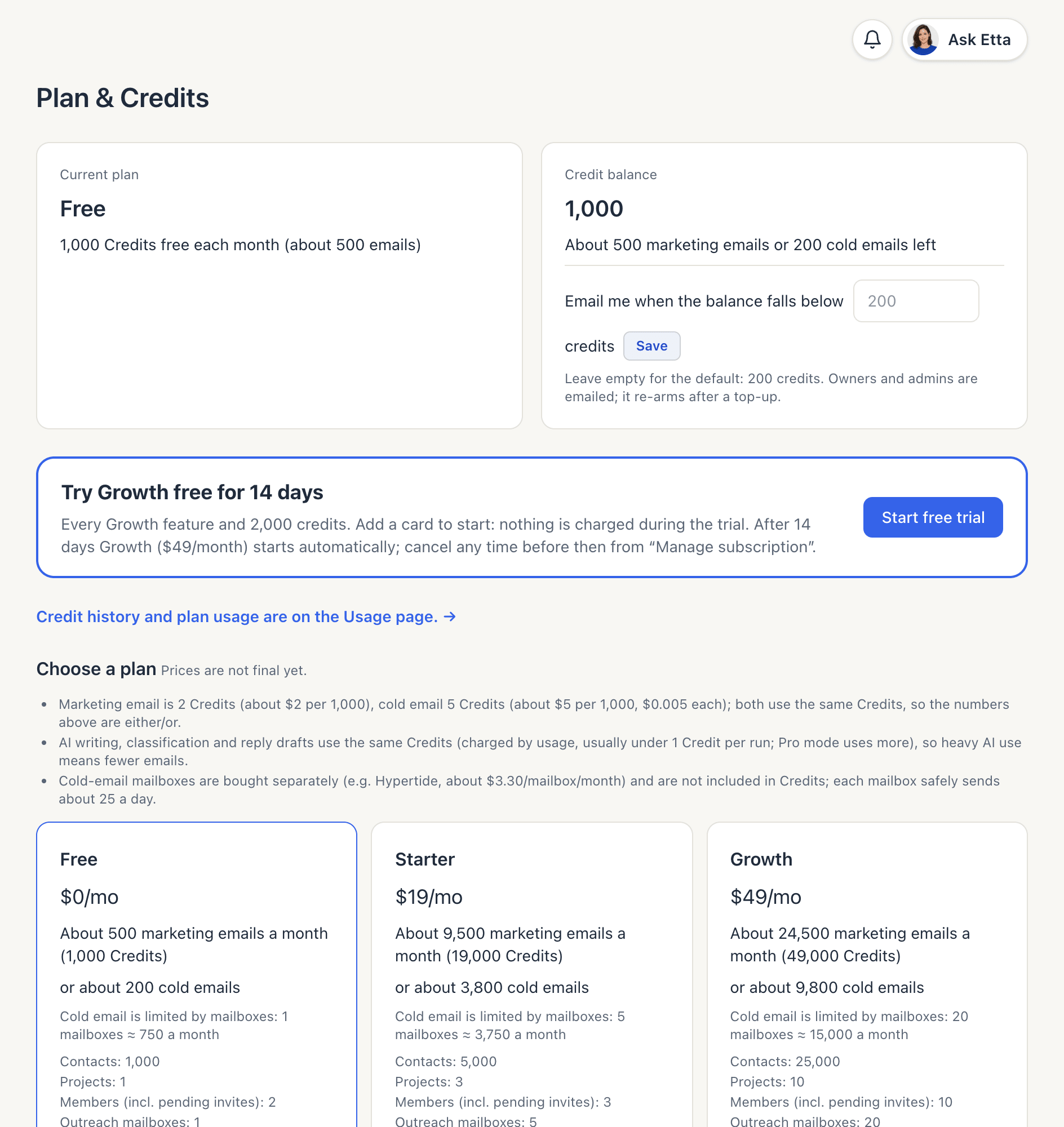
Only owners and admins can change the plan or buy credits.
2. Choose a plan
Each paid plan includes its price in credits every month.
| Plan | Price | Credits each month | Contacts |
|---|---|---|---|
| Free | $0 | 1,000 | 1,000 |
| Starter | $19/month | 19,000 | 5,000 |
| Growth | $49/month | 49,000 | 25,000 |
| Pro | $149/month | 149,000 | 100,000 |
| Ultra | $299/month | 149,000 | 250,000 |
Plans also differ in how many projects, members and cold email mailboxes you can have. The plan cards list them all, and so does pricing. Ultra is for teams that send cold email at volume: cold emails aren't charged per send, so its credits go to marketing email and AI.
Click Subscribe on a plan to pay through Stripe. Plan credits are valid for the billing period. Free credits arrive each calendar month and expire at the end of it.
3. Try Growth free for 14 days
On the Free plan, click Start free trial under Try Growth free for 14 days. You add a card, but nothing is charged during the trial. You get every Growth feature and 2,000 credits. After 14 days, Growth ($49/month) starts automatically unless you cancel first from Manage subscription & invoices. Each workspace, person and card can have one trial.
4. Top up when you need more
Under Buy Credits, pick Top up $10, Top up $50 or Top up $200 (10,000, 50,000 or 200,000 credits). Top-ups work on any plan.
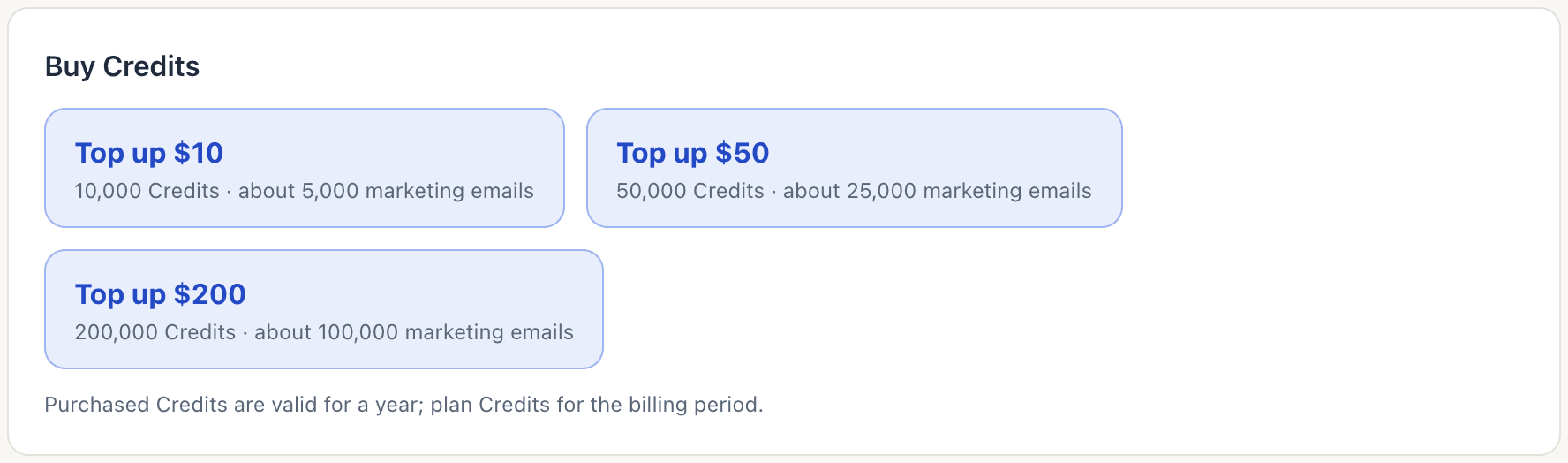
Purchased credits are valid for 365 days. When you spend, the credits that expire soonest go first, so plan credits are usually used before your top-ups.
5. Know what uses credits
| What | Credits |
|---|---|
| Marketing email (campaigns, automations) | 2 per email |
| Cold email | 5 per email (not charged per send on Ultra) |
| Reply from the inbox | Same as the channel: 2 or 5 |
| AI (writing, sorting replies, drafts, cold email openers, Etta) | By usage: the AI model's cost × 2 |
| AI picture | 48 per picture, 78 from a product photo (failed or flagged pictures cost nothing) |
A typical AI request costs well under 1 credit. Etta's Think deeper · Pro mode uses several times more than Fast.
Credits are set aside before sending
Before a batch of emails or an AI request runs, EterMail sets aside enough credits to cover it. You're then charged only for emails the provider actually accepts, and the rest goes back to your balance. The Usage page shows anything currently held as "reserved for sends in progress".
If your balance is too low, the campaign estimate tells you before you schedule. If credits run out mid-send, the campaign pauses and the remaining emails wait. Top up, then resume.
Get a low-balance alert
Under Credit balance, set Email me when the balance falls below a number of credits (200 by default). Owners and admins get the email, and the alert re-arms after a top-up.
6. Check your usage
Click Credit history and plan usage are on the Usage page (or Usage in the sidebar).
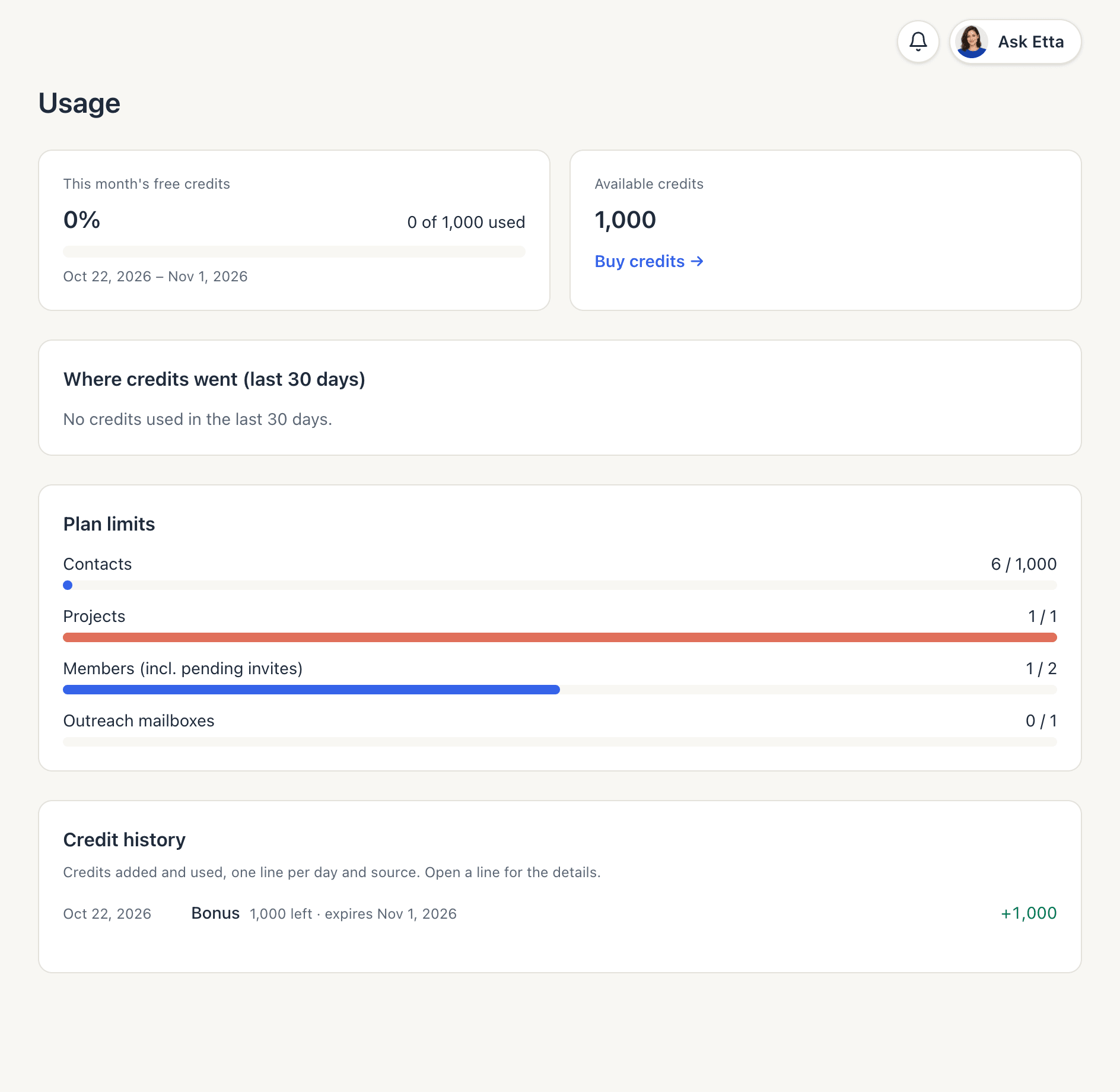
You'll see:
- how much of this period's plan credits you've used,
- Where credits went (last 30 days), by campaigns, automations, test emails, cold email, inbox replies, AI writing and the Etta assistant,
- Plan limits for contacts, projects, members and mailboxes,
- Credit history, one line per day and source. Open a line for the details.
7. Change or cancel your plan
Click Manage subscription & invoices to open Stripe. There you can upgrade, downgrade, change your card, cancel and download invoices. When you cancel, the plan runs until the end of the paid period ("Cancels on …"), then the workspace moves to Free. Top-up credits stay valid until they expire.
Good to know
- Emails sent on the Free plan carry a small "Sent with EterMail" line in the footer.
- Mailboxes for cold email are bought from your mailbox provider and aren't included in credits.
- Prices are shown in US dollars.
FAQ
Do unused credits roll over?
Plan credits last for their billing period, and Free credits for the calendar month. Top-up credits last 365 days from purchase.
Am I charged for emails that bounce or get suppressed?
Unsubscribed and suppressed contacts are skipped before sending and cost nothing. You're charged for every email the provider accepts, so a bounce reported after that still counts. Keeping your list clean saves credits.
What happens if a payment fails?
The page shows "Payment failed — update your payment method on Stripe." Update your card under Manage subscription & invoices.
Is cold email really unlimited on Ultra?
Ultra doesn't charge per cold email, but volume is still limited by your mailbox count and each mailbox's daily limit. AI openers and reply drafts still use credits. See cold outreach.
Looking for something else? All guides →