Handle replies in the unified inbox
Replies to your campaigns and cold outreach land in one inbox. AI sorts and summarises them and drafts answers; nothing is sent until you click Send.
Updated October 22, 2026
When someone answers a marketing email or a cold email, the reply lands in Inbox, next to the emails you sent them. AI sorts each reply and sums it up in a sentence, and it can draft an answer for you. You stay in charge: a reply only goes out when you click Send.
1. Open the inbox
Click Inbox in the sidebar. Conversations are listed on the left, and the one you pick opens on the right. Until the first reply arrives, you'll see "No replies yet."
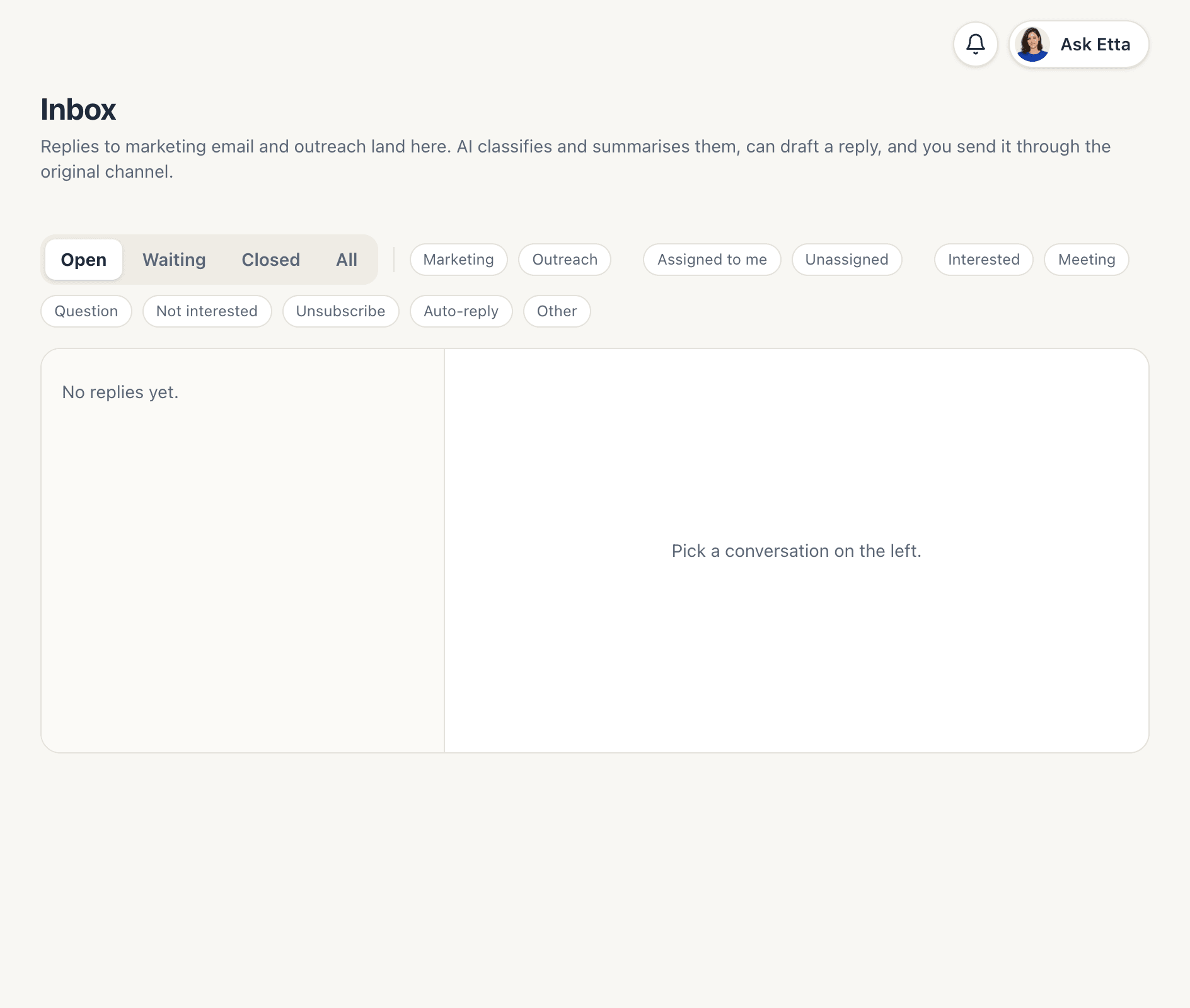
Two kinds of replies come in:
- Marketing: replies to your campaigns and automations.
- Outreach: replies that reach your connected cold email mailboxes. They also show under Cold outreach → Replies. See cold outreach.
2. Filter the list
Along the top you can narrow the list down:
- Status: Open, Waiting (you replied and are waiting for them), Closed or All.
- Channel: Marketing or Outreach.
- Owner: Assigned to me or Unassigned.
- Category: Interested, Meeting, Question, Not interested, Unsubscribe, Auto-reply or Other.
3. Let AI sort the replies
Each new reply is read by AI, which picks a category and writes a one-line AI summary of what the person wants, in their language. This uses a small amount of credits. If your balance runs out, replies simply stay unclassified until you sort them yourself.
You can always change the Category by hand, and AI never overrides your choice. For cold outreach, the category also updates the prospect:
| Category | What happens to the prospect |
|---|---|
| Interested or Meeting | Marked Interested |
| Not interested | Marked Not interested |
| Unsubscribe | Marked unsubscribed, every remaining sequence step stopped, address suppressed for outreach |
Any reply to a cold email already stops that prospect's sequence, whatever the category.
4. Assign and track the conversation
Use Assignee to give a conversation to a teammate, so everyone can see who's handling it. Close a conversation once it's done, and Reopen it if you need to pick it up again.
5. Draft a reply with AI
Open a conversation and click Draft with AI. You can add Instructions for AI (optional), for example "propose a call next Tuesday". The draft:
- answers in the same language as their latest message,
- uses your brand profile for context,
- doesn't invent prices, discounts, deadlines or promises. If it isn't sure, it offers to check.
The draft lands in the reply box for you to edit. Drafting uses credits, charged by AI usage.
6. Send the reply
Click Send. The reply goes out through the original channel: from the cold email mailbox the conversation started in, or from your marketing sender. It's threaded under their message, so they see one conversation. The conversation then moves to Waiting.
Each reply is charged like an email on that channel:
- Marketing replies cost 2 credits.
- Replies in cold email threads cost 5 credits, or nothing on the Ultra plan.
Good to know
- Convert to contact turns a cold outreach prospect into a contact. They aren't subscribed to marketing, so ask for their consent before you add them to a list.
- Message bodies are removed automatically after a 90-day retention period, and the conversation shows "Body removed after the 90-day retention period."
- Etta and connected AI apps can list conversations, read them and draft replies. Sending a reply on their request always shows an approval card first. See Etta and AI apps (MCP).
FAQ
Why is a reply marked "Unclassified"?
AI sorting couldn't run, usually because the workspace ran out of credits. Pick a category yourself, or top up and new replies will be sorted again.
Will the AI reply to customers automatically?
No. AI only writes a draft into the reply box. A person on your team has to click Send. If Etta asks to send for you, you get an approval card first.
Which address does my reply come from?
The same one the conversation started with: the cold email mailbox for outreach, or your marketing sender for campaign replies.
Why did a prospect stop getting my sequence?
They replied. Any human reply stops their remaining steps straight away. Out-of-office replies are the exception: they only push the next step back.
Looking for something else? All guides →